Mark and Matt were on duty again today for our instructive session of creating a photobook with the aid of InDesign.
I knew it would be another technical marathon for my aging brain cells….I could almost hear them groan…or that might actually have been my voice out loud! [awkward!]
The dynamic duo helped us to navigate the language and relevant areas of the software in order to place our gathered images from https://unsplash.com into some sort of narrative getting them ready to print off in this afternoon’s session.
You’ve probably heard it before, but I have to say once again, as an ‘oldie’ who comes from a basic work-processing background on computers, it is SO hard to grasp all the terminology in this software. I absolutely appreciate the time and effort that Mark and Matt spend with us, I know that it does the most amazing creative things, I get that, but seriously I’m not sure I have the hours left in me to absorb the complexities of it! But hey! I got through today – so that’s a win in my (photo) book 😉
and Lo! let the printing commence!
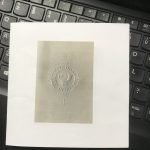
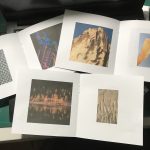
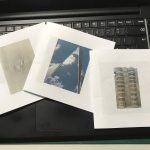
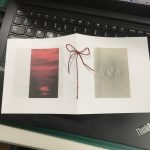
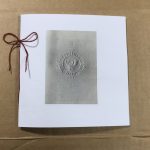
and finally a Ta-Da! moment.
There was a bit of a size issue, I was sure it was set to A3? Any how I am reliably informed that ‘size doesn’t matter’ so I proceed with my tiny photobook and after trimming the pages, the stapler decided not to co-operate so I improvised with a little needlework which was much more satisfying.
Link to photobook images below.
https://indd.adobe.com/view/3996bacf-0026-4d48-ac72-4e692db3fd4d
Try not to worry about the software too much. I’ve not seen InDesign but I assume it is similar in concept to Microsoft Publisher which has been around for many years. Doubtless, being Adobe it will have far more sophistication but it’s important to remember that if all you need to do is get from A to B, a Mini will serve just as well as a Rolls Royce. There is invariably more than one way of doing things and the ‘right’ way can depend on many factors.
The most important thing is to have a vision of what you want to achieve. People who have invested a lot of time learning the ins and outs of software such as Photoshop will naturally want to use those skills in every project. This can be a disadvantage and the artist needs to be able to choose the most appropriate tool for the job. Technical expertise can be bought, whether it is an Adobe expert or a super talented session musician. In all cases, creative vision is key.